Requests that say what's actually happening.
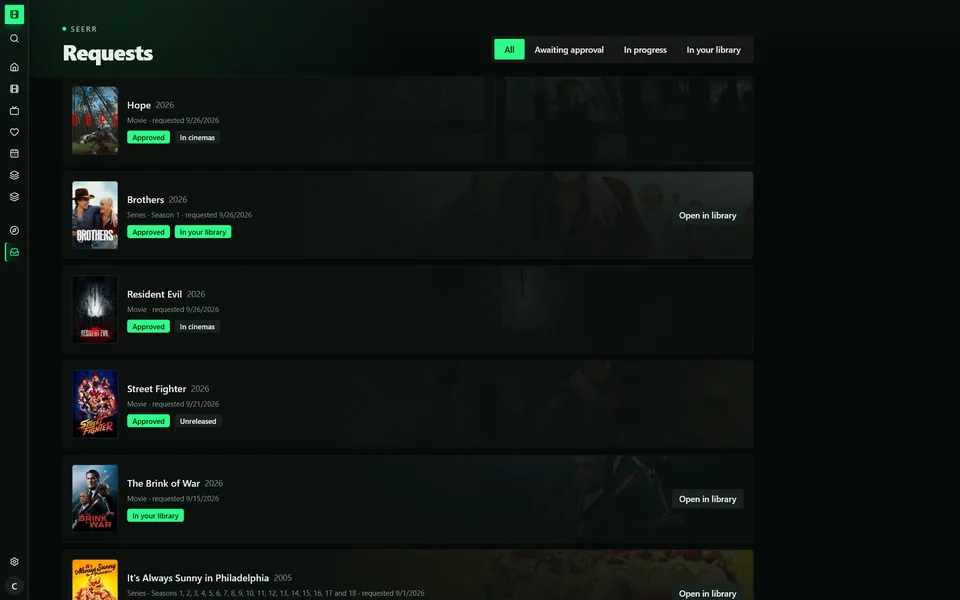
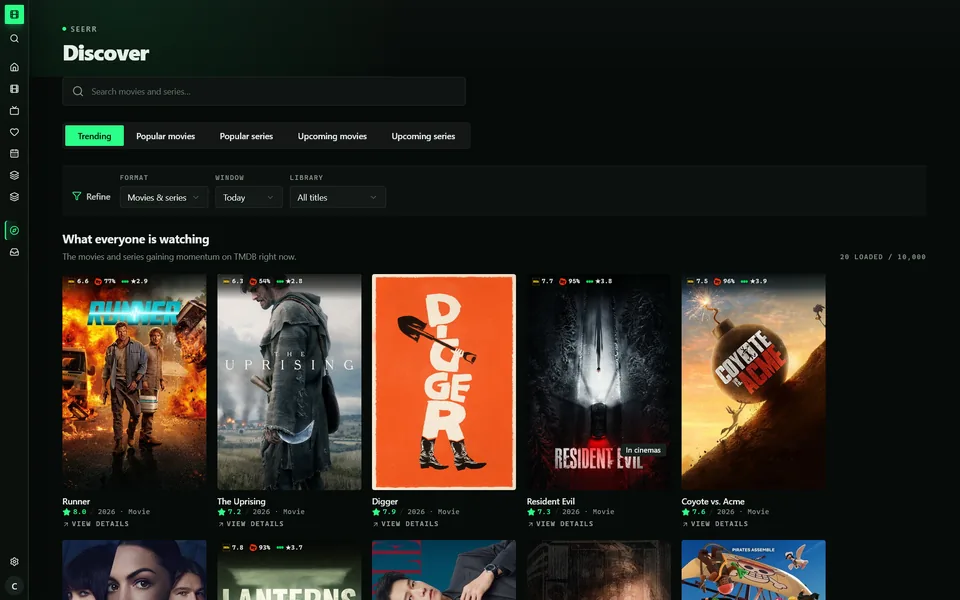
Seerr stops at "Processing". MediaFlick asks Radarr and Sonarr and shows Searching, Downloading, In cinemas, Unreleased or Awaiting episodes, until the title lands in your library.
Jellyfin desktop client · Windows · Linux · macOS
MediaFlick is a native Jellyfin desktop app that also knows Sonarr, Radarr and Seerr. It shows what's downloading, which films a franchise is missing and what comes out next week, then plays it all with mpv.
01 · Highlights
MediaFlick plays your library and also talks to the rest of your stack, so it knows what's missing, what's downloading and what comes out next. Cards marked Companion need the optional server plugin. The rest work with Jellyfin alone.
Seerr stops at "Processing". MediaFlick asks Radarr and Sonarr and shows Searching, Downloading, In cinemas, Unreleased or Awaiting episodes, until the title lands in your library.
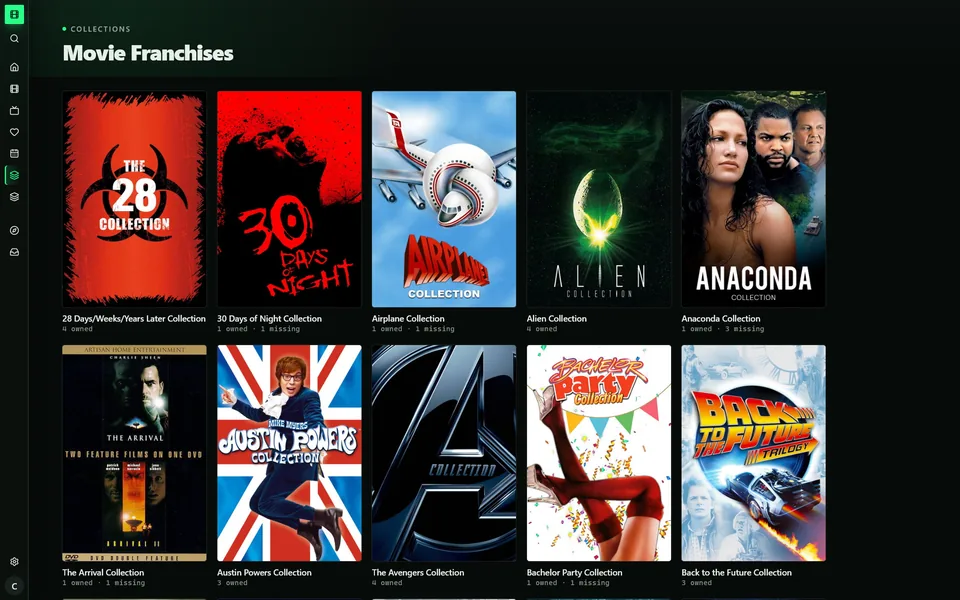
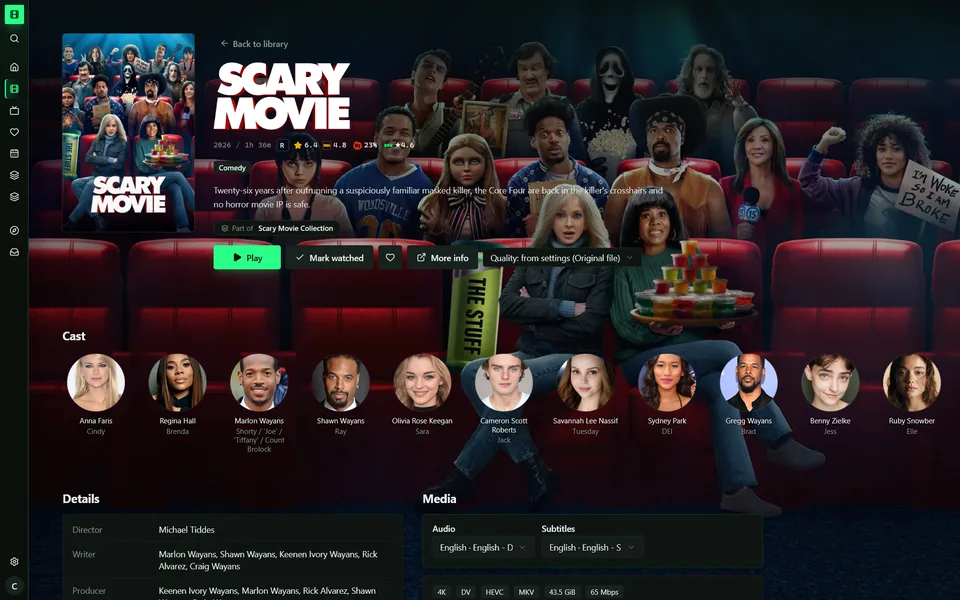
Exact TMDB franchises in release order, split into the films you have and the ones you don't. Each gap has a Request button.
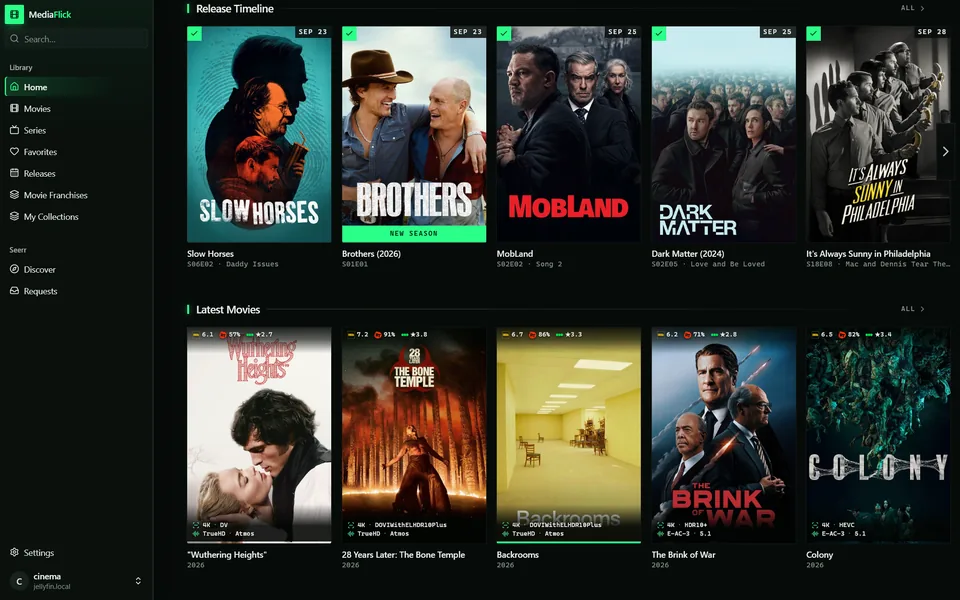
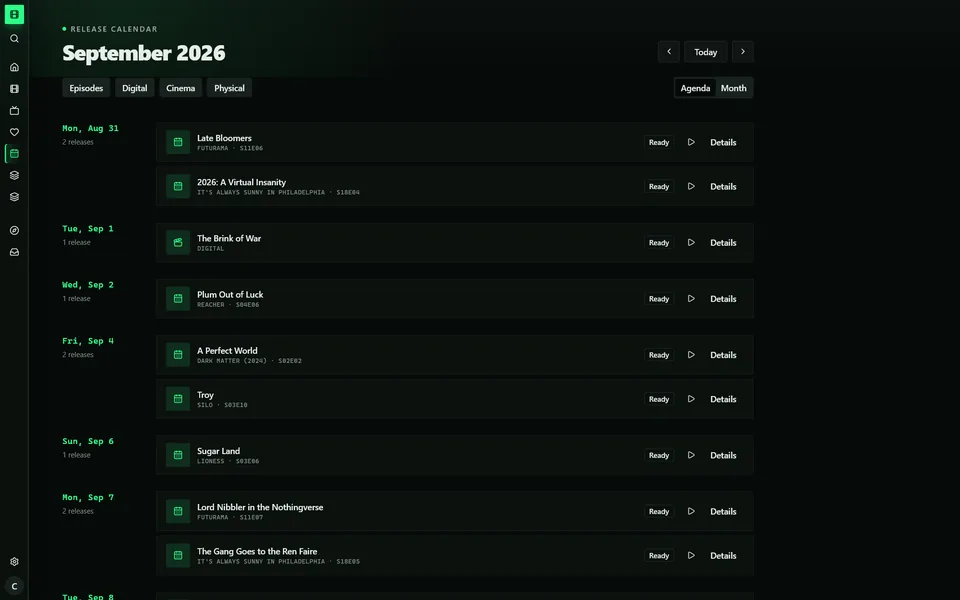
Last month's releases marked downloaded or missing, then what's next. A full calendar has agenda and month views.
The series page knows which seasons Seerr can still get. Search lists what's not in your library below what is.
Pick Trending, Top rated, a streaming service or an MDBList list. MediaFlick matches it against your library, keeps it fresh and takes your own poster.
Add public Letterboxd profiles and their stars and reviews appear on every film they've logged. No account, no key.
Your libraries are mirrored into a local SQLite index, so search runs on your machine across titles, overviews, genres and cast. How it works
Play inside the app with bundled libmpv, or hand off to the mpv you've tuned, with every shader and script intact. On Windows, SVP 4 works with either. See both players
02 · Companion
The optional MediaFlick Companion is a Jellyfin plugin. It brings Sonarr, Radarr, Seerr, MDBList and TMDB into the app through typed, authenticated calls. Service addresses and API keys never leave the server.
03 · Search
MediaFlick mirrors your libraries into a local SQLite database and keeps it current in the background. Type-ahead search runs on your machine, across titles, overviews, genres and cast, so a big library stays instant.
04 · Playback
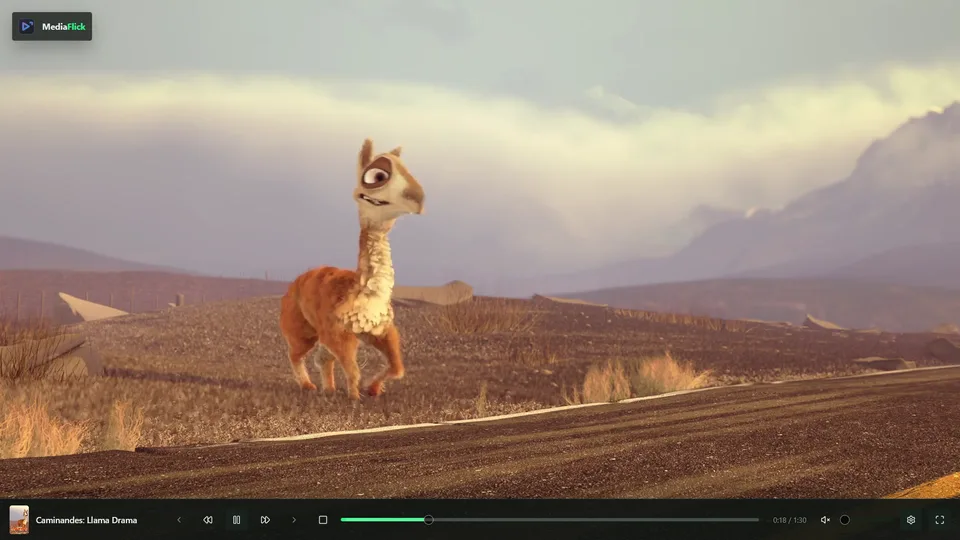
The built-in player is libmpv inside the app window, under MediaFlick's own controls. Already tuned mpv to the last shader? Switch to external mpv and MediaFlick launches the executable you use today.
profile=gpu-hq
vo=gpu-next
glsl-shaders-append="~~/shaders/FSRCNNX_x2.glsl"
target-colorspace-hint=yes
input-conf="~~/input.conf"
script-opts-append=svp-enabled=yesinput.conf bindings apply as usual.05 · Browse
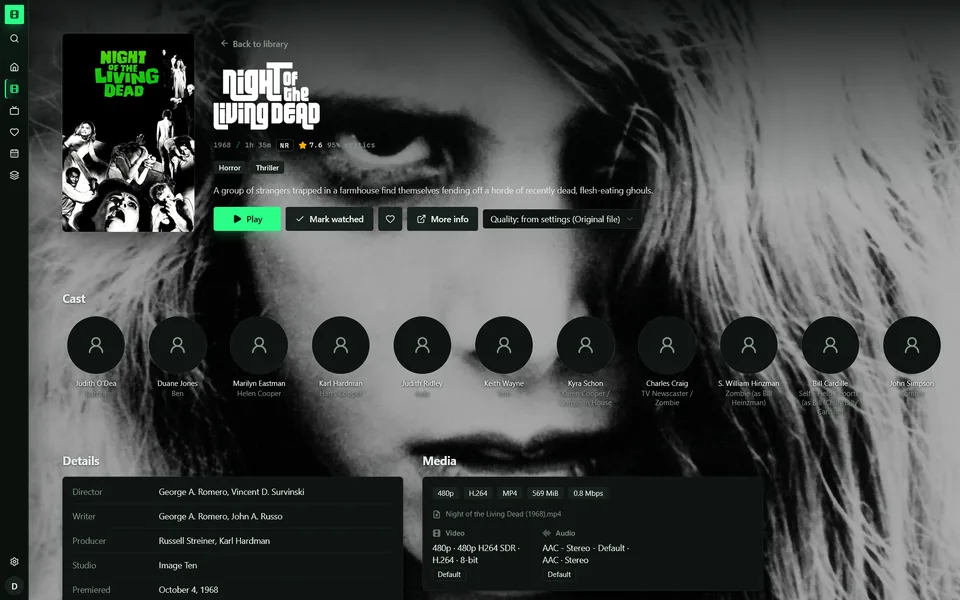
Home rows for Continue Watching, Next Up and everything new. Hover a card for its details and actions. Open a title for cast, seasons, episodes and exactly what's in the file. Scroll to walk through it.
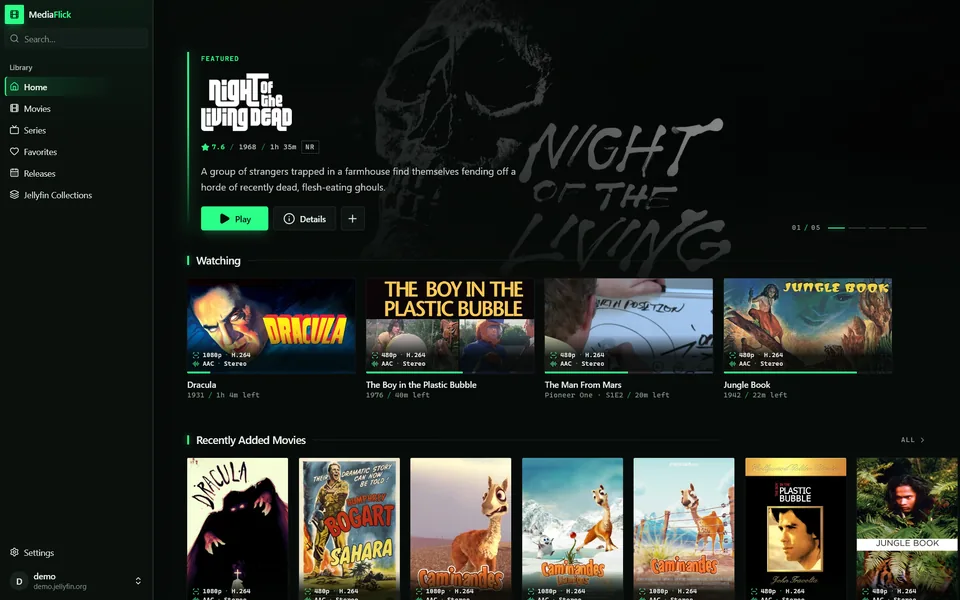
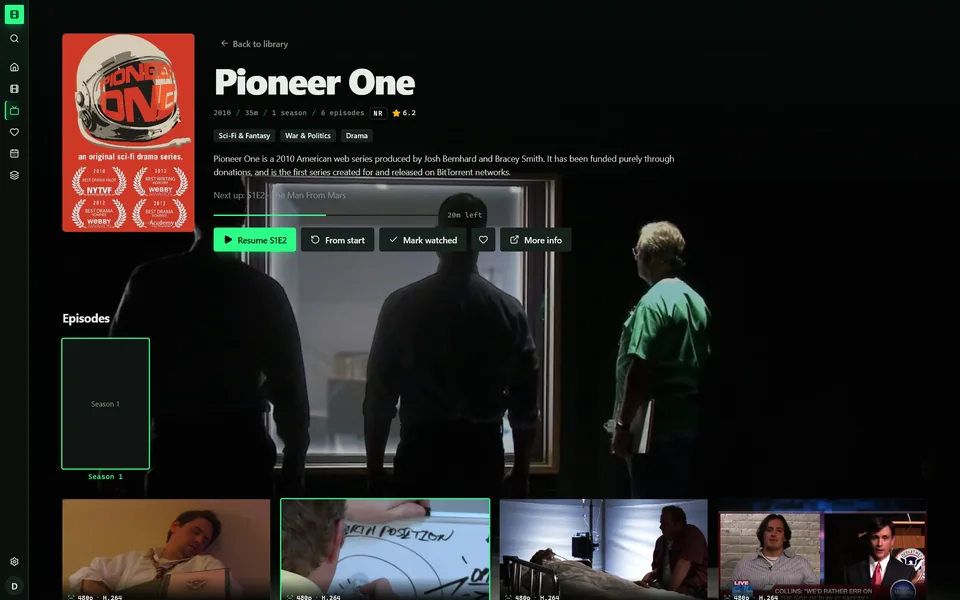
A billboard for what's new, then shelves for Continue Watching, Next Up and every library, laid out for posters rather than lists.
Play, My List and rating buttons appear over the shelf, with the file's format and the genres. Nothing to click into, nothing to back out of.
Resume where you were, browse the cast, and see exactly what's in the file: container, codecs, bitrate, audio and subtitle tracks.
The next episode up top, seasons and episodes below, and unwatched episodes kept spoiler-free until you reveal them.
06 · Playstate
Playing outside a browser usually means the server loses track. MediaFlick reports playback start, progress, watched state and resume position while you watch, so every other device picks up where you left off.
Reported by both players. Finish a film on the desktop and your phone already shows it watched.
Intros, recaps, credits and commercials, each set to prompt or auto-skip with a countdown. The seek bar marks every segment next to the file's chapters.
07 · Details
Per-account viewing preferences and per-device controls, all behind Save, Reset and Discard.
Sign in with a code approved on another device, or with a password.
Unwatched episode art, names and summaries stay hidden until you reveal them.
Original by default. Automatic or a fixed cap when the connection needs it.
Record a key for pause, mute, seek, fullscreen or mark-watched-and-next.
Four accents and two densities. Try one: this page follows.
Off, a cancellable countdown or automatic, with an optional episode limit.
New releases install from inside the app on Windows.
Right-click for the Jellyfin dashboard. MediaFlick doesn't rebuild what already works.
08 · Screens

Free, open source, and ready for your server. Latest release
Want the Companion? It installs as a Jellyfin plugin: setup guide. Building from source? See BUILDING.md.